Slope of Hope Blog Posts

Slope initially began as a blog, so this is where most of the website’s content resides. Here we have tens of thousands of posts dating back over a decade. These are listed in reverse chronological order. Click on any category icon below to see posts tagged with that particular subject, or click on a word in the category cloud on the right side of the screen for more specific choices.

What a Pane!

By -

I am pleased to let you know about another improvement in SlopeTalk.

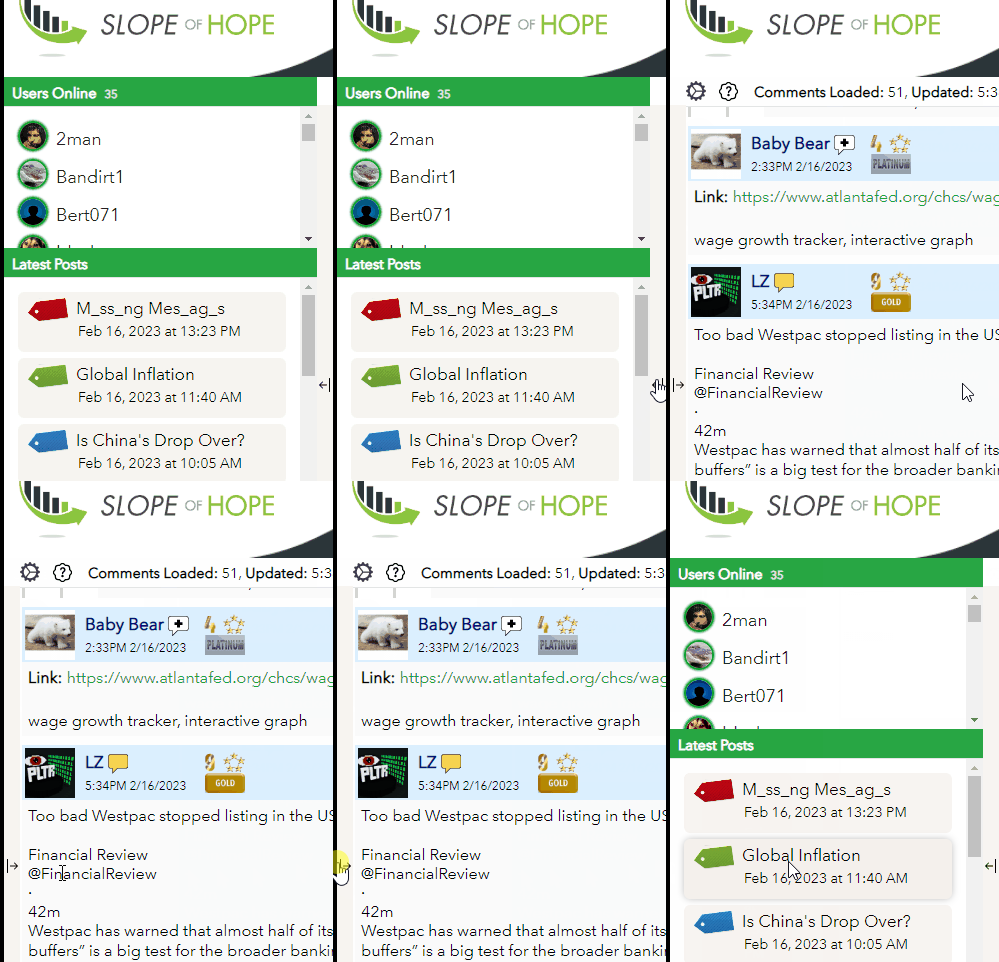
Specifically, we have made it possible for you to collapse the entire left panel.

Normally, it’s helpful to see what other Slopers are online and what posts are available, but in case you want to dedicate more of the screen to those sweet, sweet comments (especially if they don’t vanish), you can make the entire left portion vanish with a single click.

This will be especially handy for you people on tablets, since you could probably use the extra real estate.

We are continuing to add a few last touches to the product.

Enjoy!

M_ss_ng Mes_ag_s

By -

Beloved Slopers………with the introduction of the oh-my-God-so-cool and yet oh-my-Lord-so-complex system known as Slopetalk, some people have noticed that comments may be entered but occasionally seem to be missing. (They aren’t really, but perception is reality, so there ya go).

We have deployed what we believe is a fix to the problem. Please pay close attention (some of you will without me even asking) and let me know if it seems to have helped or not. Obviously I am hoping the answer is “yes” but please let me know by way of an email or the “@” feature. Thank you.

SlopeTalk Tweaks

By -

There have been a lot of small but helpful improvements in SlopeTalk recently.

  • SlopeTV which gives us the ability to have live “watch parties” together (watching The State of the Union last night was a kick)
  • Page Up/Page Down now works on the keyboard, so you can blast through comments
  • We’ve made it work and look better for iPad users
  • Users can now copy text from any comment for pasting elsewhere
  • You can now control the volume of sounds in Preferences
  • We’ve made notifications better, because it used to be that you and the sender of a message had to both be online; now it doesn’t matter anymore.

SlopeTalk has already exceeded my vision for it, and we’re going to be winding down development in a day or two and turning our attention to other matters. I hope it continues to be an increasingly popular part of the Slope of Hope!

Roger! Copy That!

By -

During the creation of SlopeTalk, I’ve learn about certain features and functions that Slopers consider invaluable which never even occurred to me. For instance, in SlopeTalk, one cannot simply copy the text for use elsewhere, such as pasting into a Word document to preserve it. Well, not until now. I’ve heard your cries and lamentations, and we’ve taken on the rather substantial task of making this work. Now you and copy and paste until your heart is content!

You Won’t Believe Your Ears

By -

We’ve added sounds to SlopeTalk. Of course, I know some of the more curmudgeonly types won’t want these newfangled gee-jaws what with their a’beepin’ and a’boopin’, so you can turn any sounds on or off in Preferences. By default, only New Posts and Notifications to You will make sounds; the others you can turn on manually. Anyway, having sounds in he product now is something fun and, occasionally, useful. Also, if you think of other “events” that deserve a sound, please “@” me with your idea! Remember to Shift-F5 to get the latest ‘n’ greatest version of SlopeTalk!