

Hey, hey! Ho, ho! Non-SlopeCharts have got to go!
Yes, indeed. Yet another improvement, folks. And this is one you’re all going to love: it’s an automatic gap detector. I haven’t thought of a spiffy name for it, so there ya go.
The Price Gaps feature can be located in the Display menu of SlopeCharts. This is an automatic way of highlighting price gaps that occur on any kind of price chart.
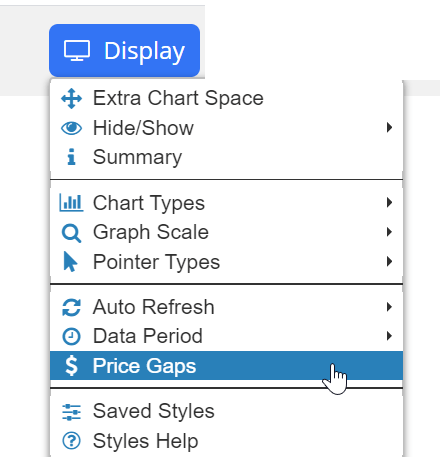
When you choose this menu item, this dialog box shows up:
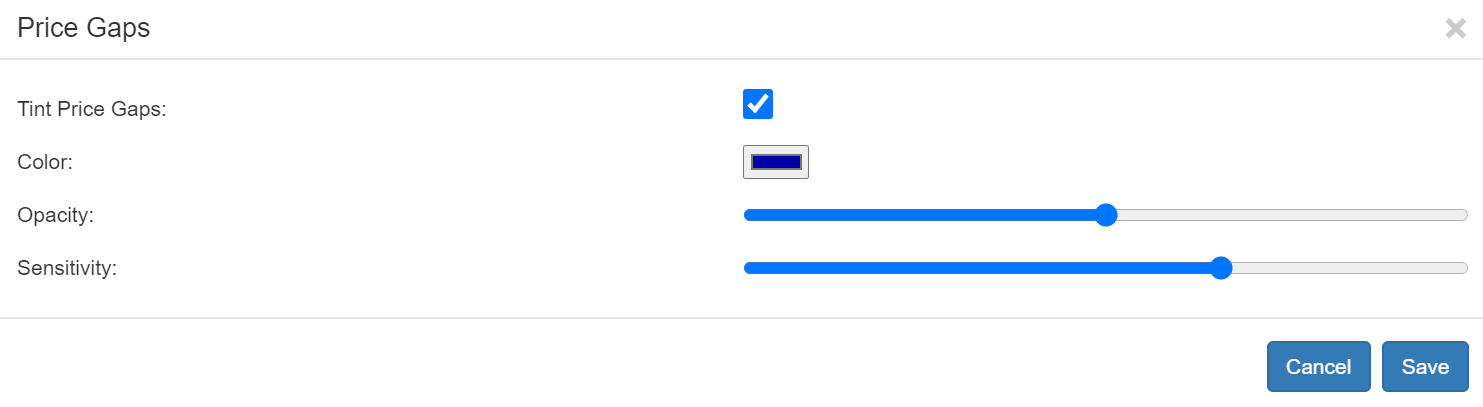
The dialog box lets you control these elements of the feature:
- Tint Price Gaps – checkbox which, if checked, tells the program to put a tint at all the instances of qualifying price gaps;
- Color: color chooser for the tint;
- Opacity: slider which controls how solid or transparent the tint it;
- Sensitivity: slider which controls how strict the rules are about gaps. If dragged all the way to the left, even small price gaps will be highlighted; all the way to the right, only the most gigantic gaps will be tinted.
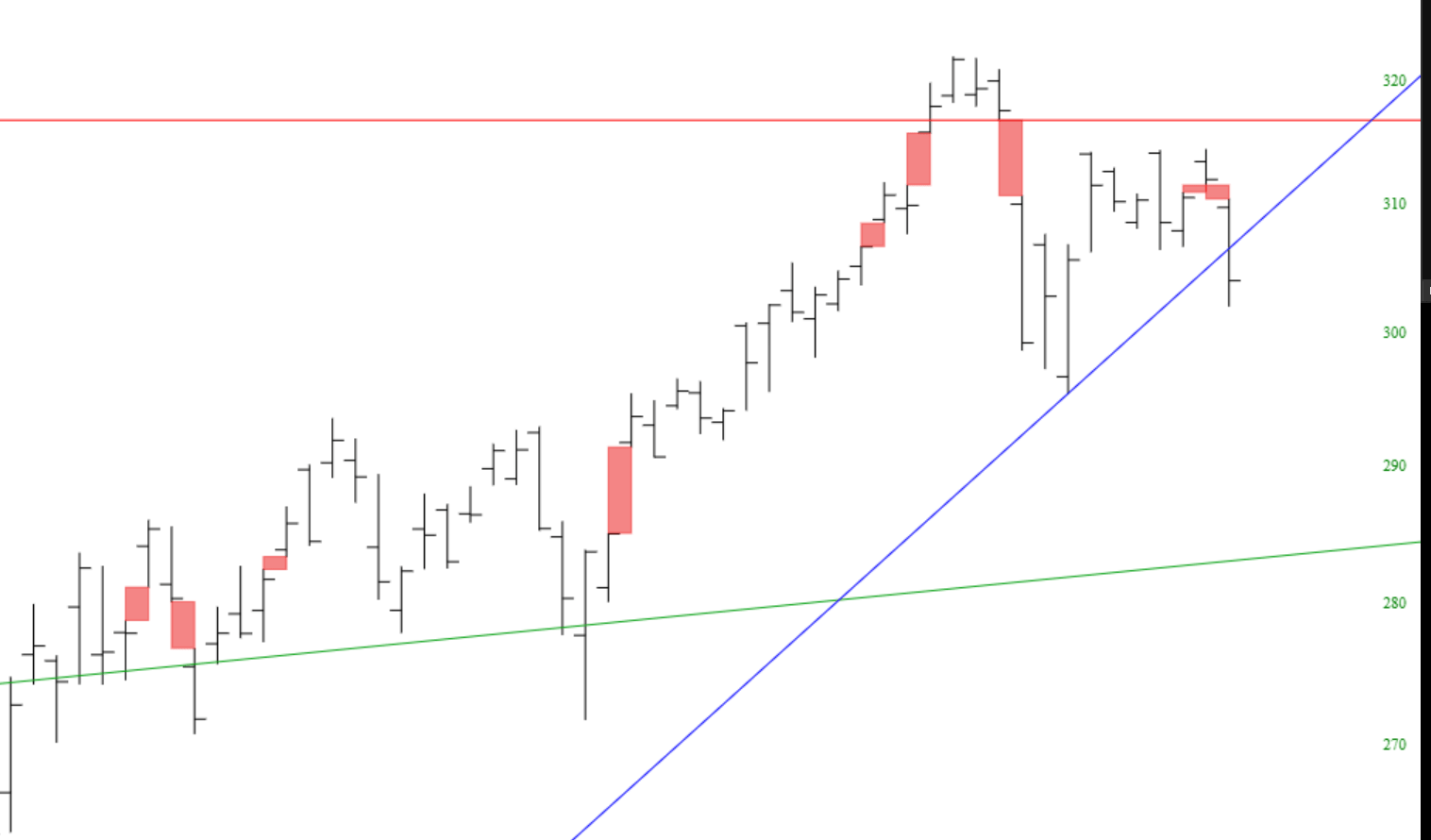
Here is a chart with the Price Gaps feature activated:
And here is a longer-term price chart with a somewhat lower sensitivity setting:
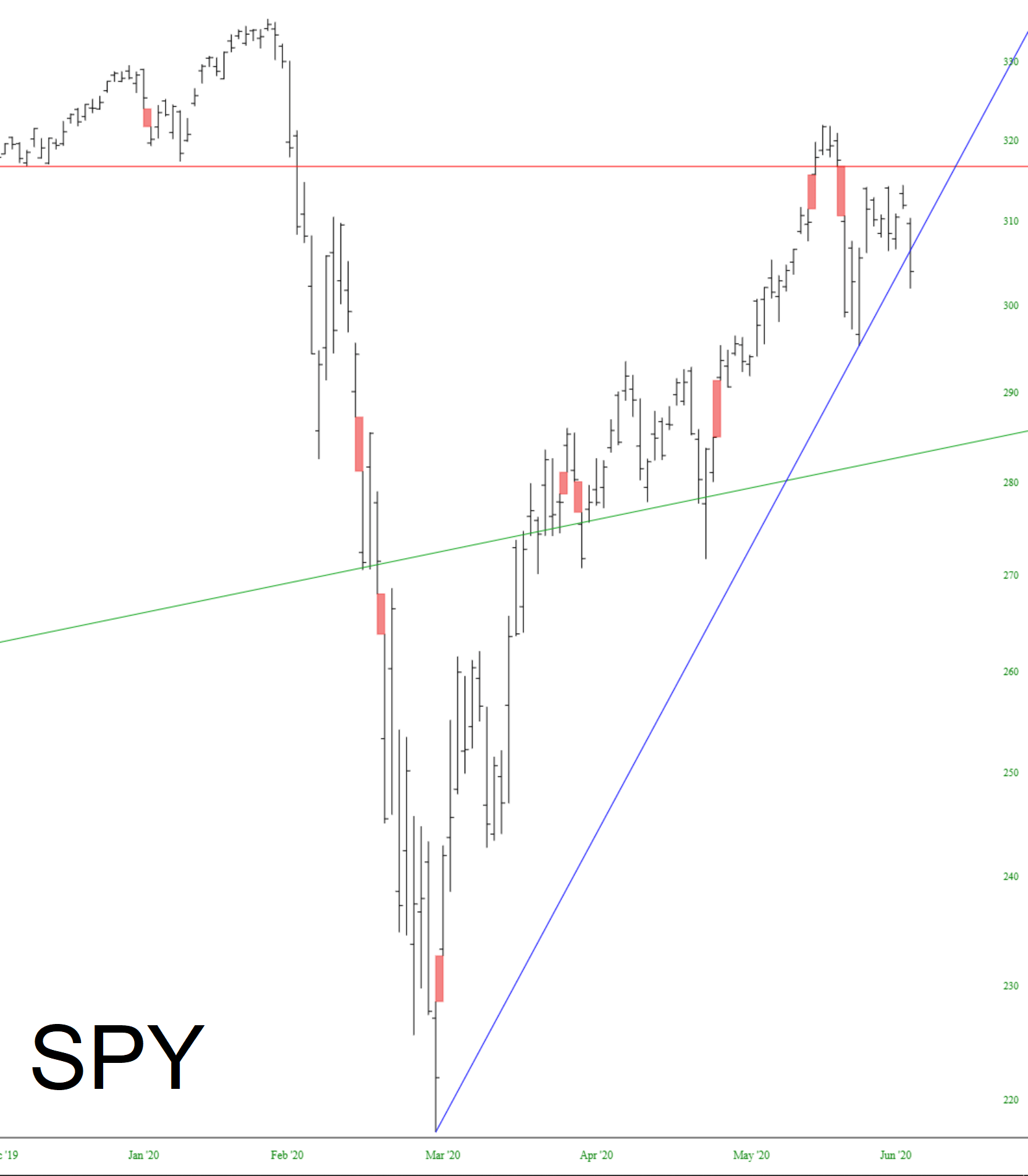
Price gaps can be a crucial element in analyzing a chart, and this feature makes it far easier to see them.
