

One of my favorite features in SlopeCharts is the labeling feature, and I had a challenge yesterday that I quickly solved and wanted to share with you.
The challenge was this: I wanted to buy some alt-coins at the Kraken exchange, but I knew Kraken had added some new coins since the last time I checked, and I wanted to make sure I had a complete, up-to-date label reference in SlopeCharts to identify which coins were available. Now, the monkey-brain was to do this would be to go through all my crypto charts, one by one, and label those that were on the Kraken list, but I’d rather work smart than work hard, so here’s what I did.
Step 1: Get the Raw List
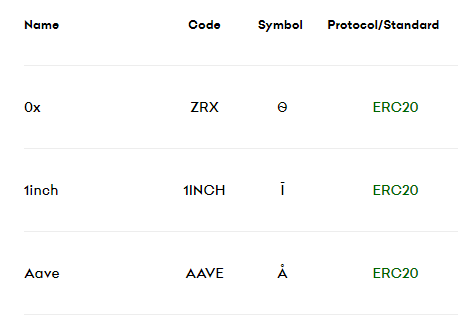
I just googled the term “Kraken coin list” and got to the page where it showed the up-to-date listing of coins covered.