

For you SlopeCharts users, this is important, so listen up. For years, we’ve had this checkbox in Preferences:

There’s a reason. Financial data is FILTHY. It always has been. Even if it’s 99.99% right, just one bar can wreck a chart:
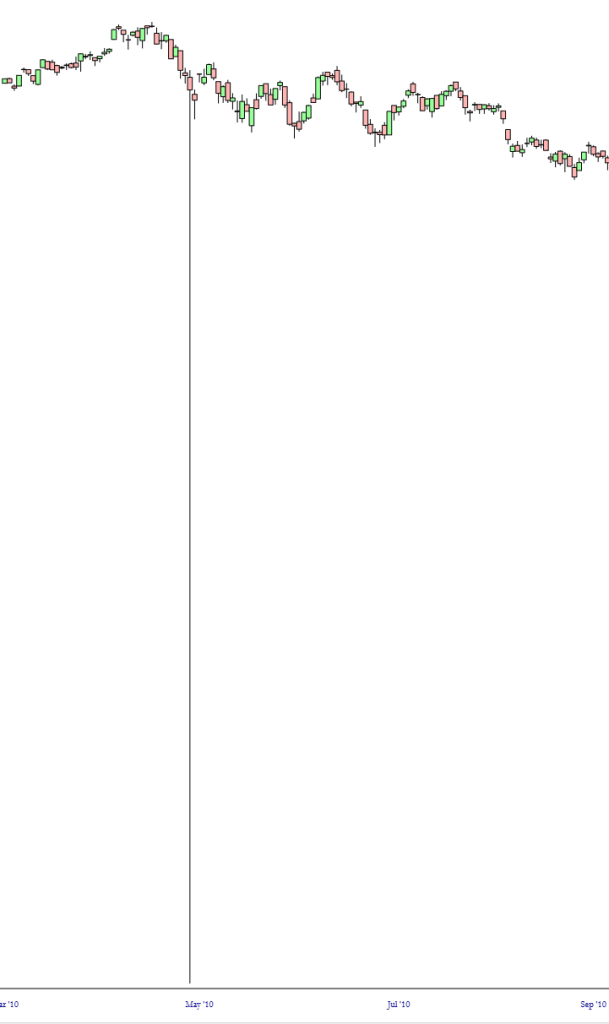
I’ve left the aforementioned box unchecked basically forever, because I want SlopeCharts to filter the crap out.
However, there are times when there’s a move in a stock which is so huge that the algorithm THINKS it’s wrong but it is, in fact, correct data.
Take what happened with AMD recently (please!). In this instance, SlopeCharts thinks what happened yesterday is insane (as do I!) so it just replicates the prior bar. Thus, the chart is incorrect, by virtue of trying to be less bad.
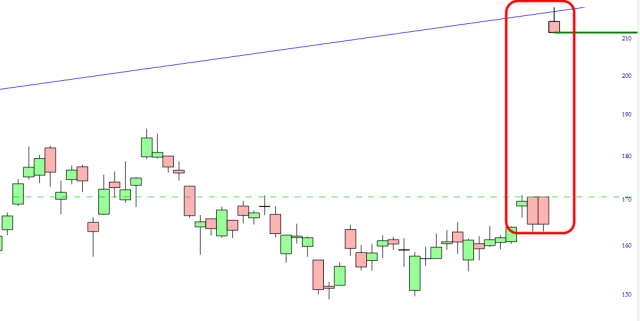
By allowing the unfiltered, raw information to show, all is well with the world, even though my resentment toward AMD is unresolved.
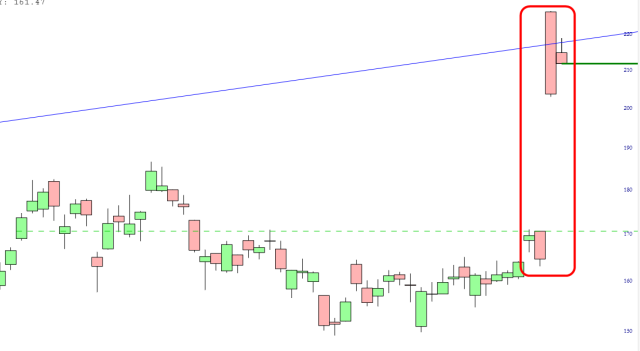
There’s no perfect answer. You can leave the box unchecked and benefit from the clean-up, or you can see the data raw and make sure you are seeing the unaltered (albeit sometimes wrong!) price bars from the data providers. For myself, I think I’m going to leave the checkbox on for a while, particularly as we are starting to see topsy-turvy moves on a daily basis that might be misinterpreted as garbage.
