Slope of Hope Blog Posts

Slope initially began as a blog, so this is where most of the website’s content resides. Here we have tens of thousands of posts dating back over a decade. These are listed in reverse chronological order. Click on any category icon below to see posts tagged with that particular subject, or click on a word in the category cloud on the right side of the screen for more specific choices.

Automatic Trendlines in SlopeCharts

By -

I’m very pleased to announce some more improvements to SlopeCharts.

First, you’ll notice some new items in Drawn Objects. Well, they’re not new per se, but we’ve made the functions more granular. I’ve highlighted the icons below – – from left to right, there is rectangle, oval, rectangle-with-text, and oval-with-text. You can probably figure out what they do, but the point is that if you just want to draw a shape and definitely aren’t bothering adding text, you can save an extra step by just using the “pure” shape tools. (Please remember to press Ctrl-F5 to force a reload of the page so you’re sure you’ve got the latest version).

1024-toolshigh

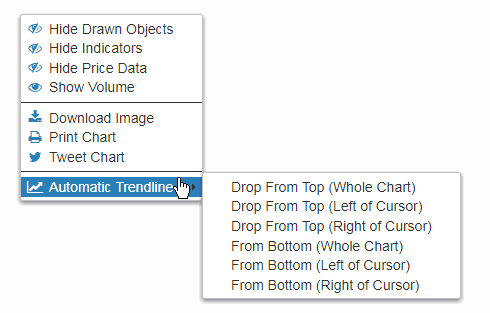
The much bigger news is automated trendlines, however:
(more…)

Automatic Earth

By -

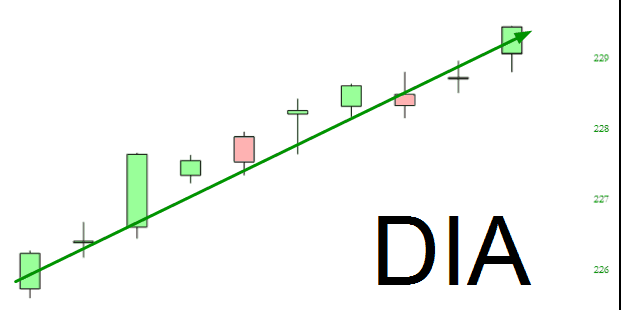
It’s the middle of the night, and we’ve just finished up Automatic Trendlines. And, by God, they are FANTASTIC. I’ve already surveyed the competition, whose auto trendlines are an embarrassment (if they have any at all).

SlopeCharts just keeps getting better all the time! I’ll do a post about this and other improvements on Wednesday. I’m going to bed. I’ll be up at 5:30 a.m. as always to continue my Quixotic quest, fighting the good fight.

1024-autotrend

Improved SlopeCharts Interface

By -

I am pleased to let you know a couple of big improvements to SlopeCharts, and these improvements are available to all users. Please note that you should press Ctrl+F5 on the SlopeCharts page to clear the cache and make sure you are using the most recent version.

As new features have been added, the menu bar at the top has been getting increasingly crowded. At this point, it just barely fits on a laptop screen.

1021-wifemenu

Since there are dozens of new featurings forthcoming in the product, this was intolerable, so what we’ve done is fold all the functions into a single menu. Importantly, we’ve also folded into the menu some of the “right click” menus that some people may not realize are there. It’s important to me that all of SlopeCharts functions are obvious and apparent. (more…)